
SHAREit Lite - Fast File Share
Smart Media4U Technology Pte.Ltd.Productivity
4.42.53K Reviews
- Version
- 3.8.88_ww
- Installs
- 100.00M
- Age Rating
- Everyone
Screenshots
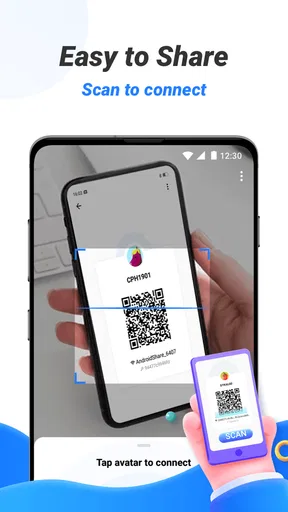
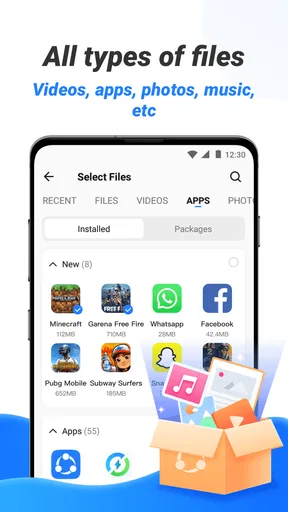
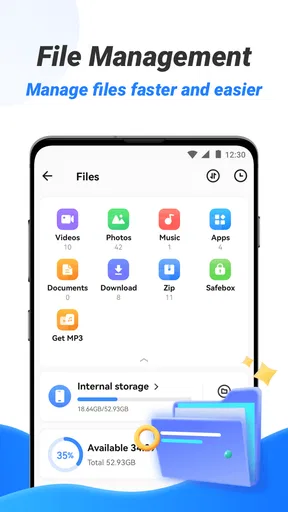
Our Review of SHAREit Lite - Fast File Share
 Analysis by Appyee
When I need to pass a handful of photos or a document to someone nearby, I’d rather not upload it somewhere and wait for a download link. That is the practical appeal of SHAREit Lite: it is a file-sharing app built around direct transfers, so an internet connection need not be part of every handoff. I find that especially useful when mobile data is scarce, a connection is unreliable, or the files should simply move from one device to another without taking a cloud detour.
How SHAREit Lite fits into everyday sharing
I find SHAREit Lite most useful when a transfer is small enough to plan but inconvenient to route through the internet: a few photos after a visit, for instance, or a document shared while we’re sitting together. Thinking first about who needs the files and whether they’ll need them again helps me choose the right method, rather than treating every handoff as the same task. That distinction also makes it easier to judge how the app handles a busier transfer.
When speed matters, keep the task focused
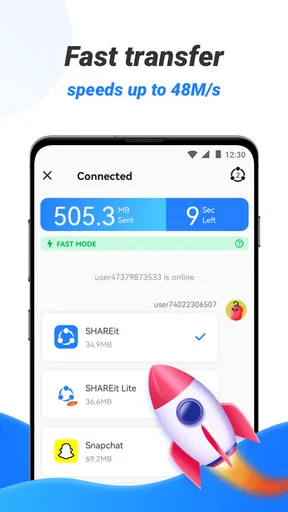
A direct transfer can feel much quicker than sending files through a service that uploads them first, but the experience still depends on the devices and the connection between them. For a few photos, that difference is easy to appreciate: choose what you want to send, connect with the recipient, and let the devices handle the exchange. I would not treat any speed claim as a guarantee for every situation, though. A large video collection and a couple of small documents are very different jobs, and the receiving phone, distance, and local wireless conditions can all affect how smooth a transfer feels.
My useful habit is to decide on the files before starting rather than selecting things casually while the other person waits. It makes the handoff less awkward and lowers the chance of sending the wrong item. For mixed batches, I also check that the intended photos or documents are actually selected; a short pause at the selection screen is easier than repeating a transfer because I missed one file. Direct sharing is most rewarding when both people are ready and the transfer has a clear purpose.
Busy moments call for a little preparation
At a family gathering, for example, I might want to pass several pictures to a relative who has no interest in installing a cloud app or signing into an account. A direct phone-to-phone workflow suits that moment better than explaining a shared folder and waiting for uploads. The same idea works for handing a presentation to a colleague in a room with weak reception, or sharing a saved clip while travelling. The benefit is not that every transfer is effortless; it is that the task does not have to depend on internet access.
For a larger batch, I would make sure both devices have enough time and battery to finish, and I would keep them close while they connect and exchange files. That is ordinary good practice for a local transfer, not a promise that every interruption can be recovered automatically. If someone needs to leave halfway through, it is sensible to check what arrived before trying again. This small check is particularly helpful when the recipient is collecting many items and a partial batch might otherwise go unnoticed.
Reliability means knowing what the app is for
SHAREit Lite is at its best as a nearby handoff tool, not as a replacement for every way of moving files. It does not remove the need to keep another copy of anything important, and I would not use a one-time transfer as my only backup for irreplaceable photos or work. For files that need to be available later on several devices, cloud storage is often more convenient. For sending something to a person across town, a messaging app or a link-based service is usually the more practical choice.
There is also a social side to reliability: both people need to be ready to use the same transfer workflow. If a friend is uncomfortable installing a separate app, or their phone is not cooperating, email, messaging, or a cable can be a calmer fallback. I like having SHAREit Lite available for the situations it suits, but I would not insist on it when a familiar alternative already solves the problem. A good transfer method is the one that works for both ends, not simply the one that sounds fastest.
Lightweight does not mean every phone is the same
The Lite name makes the app appealing if you want a focused sharing tool, and SHAREit Lite is a free productivity app from Smart Media4U Technology Pte.Ltd. It is rated for Everyone, runs on Android from version 4.2, and its current version is 3.8.88_ww. I would still leave room on a device for the app and the files being received; an older phone with little free space can feel constrained even when the transfer itself is straightforward. Before accepting a large batch, checking available storage is a simple way to avoid a frustrating stop.
The app has a 4.4 average from around 678,000 ratings and has passed 100 million installs, which suggests many people have tried it, but popularity is not a substitute for checking that it fits your own routine. It has been available since August 7, 2019, and there are around 2,500 written reviews. I would read those as context rather than proof that every device-to-device pairing behaves identically. SHAREit Lite is a better fit for someone who regularly shares nearby files than for a person who only needs to send an occasional attachment.
Choose the right tool for the distance
Compared with Bluetooth, a dedicated sharing workflow can be more convenient for sending a group of files, while Bluetooth remains useful when both devices already support it and the transfer is modest. Compared with cloud drives, SHAREit Lite avoids the upload-then-download routine for a nearby exchange, but a cloud drive wins when the recipient is elsewhere or needs ongoing access. Messaging apps are quick for a single photo or document when everyone already uses the same service; they are less appealing when you want to move a batch without routing it through a conversation.
That makes the decision fairly simple. If the other person is beside you and the files are already on your phone, a direct transfer is worth trying. If they are not nearby, or you need a durable shared folder, use a service designed for remote access instead. I would also avoid making a local transfer the only route for a critical work file: keep a separate copy and confirm receipt before deleting the original. That extra step matters more than shaving a moment off the handoff.
My practical verdict
Ever had one of those days where you just need to send a file quickly but your internet decides to take a coffee break? Enter SHAREit Lite, the app that promises to make file sharing as easy as pie, and believe me, it delivers. I've been playing around with it for a while now, and I'm here to give you the lowdown on everything this nifty app has to offer.
Why SHAREit Lite?
First off, let's talk about why you'd even consider SHAREit Lite. In a world full of cloud services and Bluetooth transfers, this app comes as a breath of fresh air. It's lightweight, fast, and most importantly, doesn't require an internet connection to get the job done. Yup, you read that right! Say goodbye to those moments of panic when you're out of data.
Lightning-Fast Transfers
Speed is the name of the game with SHAREit Lite. Whether it's photos, videos, or even apps, this little gem moves them all at breakneck speed. I was impressed by how quickly I could transfer an entire album of vacation photos to a friend's phone without breaking a sweat. The app boasts speeds that are 200 times faster than Bluetooth, and from my experience, that's no exaggeration.
Easy as 1-2-3
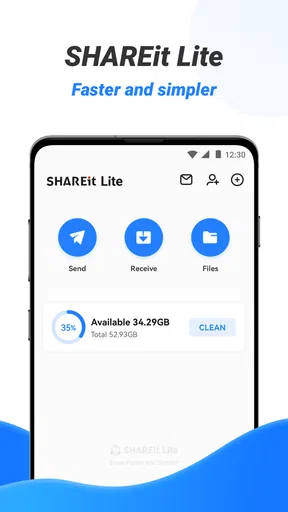
One of the standout features of SHAREit Lite is its simplicity. The interface is clean and straightforward, making it super user-friendly. You don't have to be a tech whiz to figure it out. Just install the app, select the files you want to share, and boom, you're done. It’s like having a magic wand for your file-sharing needs.
No Internet? No Problem!
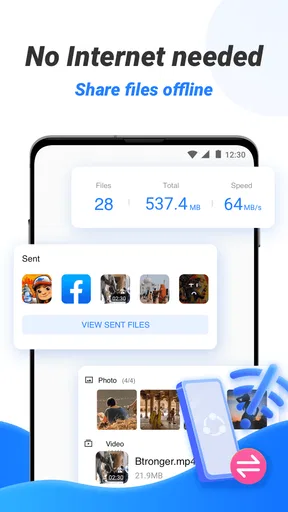
This is where SHAREit Lite really shines. The app creates a hotspot connection between devices, which means you can share files without needing Wi-Fi or mobile data. It's perfect for those times when you're in a dead zone or trying to save on your data plan. Plus, it doesn't eat up your battery like some other apps might.
Security and Privacy
Now, I know what you're thinking—what about security? Rest assured, SHAREit Lite has got you covered. The app ensures that your files are transferred securely and privately. There's no cloud storage involved, so your files remain between you and the person you're sharing with. It's a nice little peace of mind in today’s data-driven world.
Compatibility and More
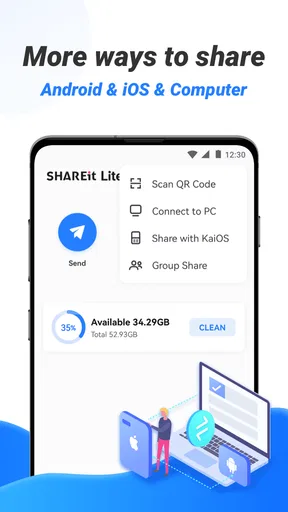
SHAREit Lite is compatible with both Android and iOS, making it a versatile option whether you're team Apple or Android. I found the cross-platform functionality to be seamless, which is a huge plus in my book. It’s all about convenience, and this app nails it.
The Verdict
All in all, SHAREit Lite is a fantastic tool for anyone who needs a reliable, fast, and easy way to share files. It's especially useful when you're on the go or in places with spotty internet. The app does exactly what it promises—no frills, just pure functionality. If you haven’t tried it yet, give it a spin. You might just find it becomes your go-to app for file sharing.
So, there you have it, my take on SHAREit Lite. It's not just another app; it's a lifesaver for anyone who values speed and simplicity in file sharing. Download it, try it, and join the ranks of those who’ve discovered the magic of hassle-free transfers. Happy sharing!
Verdict
Strengths of SHAREit Lite - Fast File Share
- Quick file transfer speeds.
- User-friendly interface.
- No internet needed for sharing.
- Supports multiple file types.
- Lightweight and consumes less storage.
Limitations of SHAREit Lite - Fast File Share
- Contains ads that can be intrusive.
- Limited features compared to full version.
- Requires proximity for optimal use.
- Occasional connectivity issues.
- No cloud backup integration.
Other Releases by Smart Media4U Technology Pte.Ltd.
View All
SHAREit: Transfer, Share Files
Tools4.3
Similar Picks in This Category
View All
Google Calendar
Google LLC4.6

Google Drive
Google LLC4.3

Google Assistant
Google LLC3.9

Microsoft OneDrive
Microsoft Corporation4.6

Samsung Calendar
Samsung Electronics Co., Ltd.4.1

Microsoft OneNote: Save Notes
Microsoft Corporation4.6
Frequently Asked Questions
What is SHAREit Lite and how does it differ from the regular SHAREit app?
SHAREit Lite is a streamlined version of the original SHAREit app designed to provide fast and efficient file sharing with a focus on simplicity and minimalism. While both apps serve the same primary function of transferring files, SHAREit Lite is optimized for users who need a lighter app that consumes less storage and runs smoothly on devices with lower specifications.
How can I use SHAREit Lite to transfer files between devices?
Using SHAREit Lite to transfer files is straightforward. After installing the app, ensure both devices are connected to the same Wi-Fi network. Simply open the app, select the files you wish to share, and follow the prompts to connect with the receiving device. The app supports various file types, including photos, videos, and documents, ensuring seamless sharing.
Is SHAREit Lite secure for transferring sensitive files?
SHAREit Lite uses a direct device-to-device connection, which enhances the security of file transfers by avoiding cloud storage that could potentially be accessed by third parties. However, users should still exercise caution when sharing sensitive files and ensure they are only transferring with trusted devices to maintain privacy and security.
Does SHAREit Lite require an internet connection to transfer files?
No, SHAREit Lite does not require an active internet connection to transfer files. The app uses a direct Wi-Fi connection to share data between devices, making it a convenient option for users who need to transfer files without consuming mobile data or relying on internet availability.
What types of files can I share with SHAREit Lite, and are there any limitations?
SHAREit Lite supports a wide range of file types, including photos, videos, music, apps, and documents. There are generally no strict limitations on file size, allowing users to share large files quickly. However, performance might vary based on the device specifications and the size of the files being transferred.
